Read any link without leaving the page.
Hold Alt and click a link: it opens in a floating window right over the page you're on. Read it, click around, then press Esc to go right back. No new tabs, no lost place.
Coming soon to the Chrome Web Store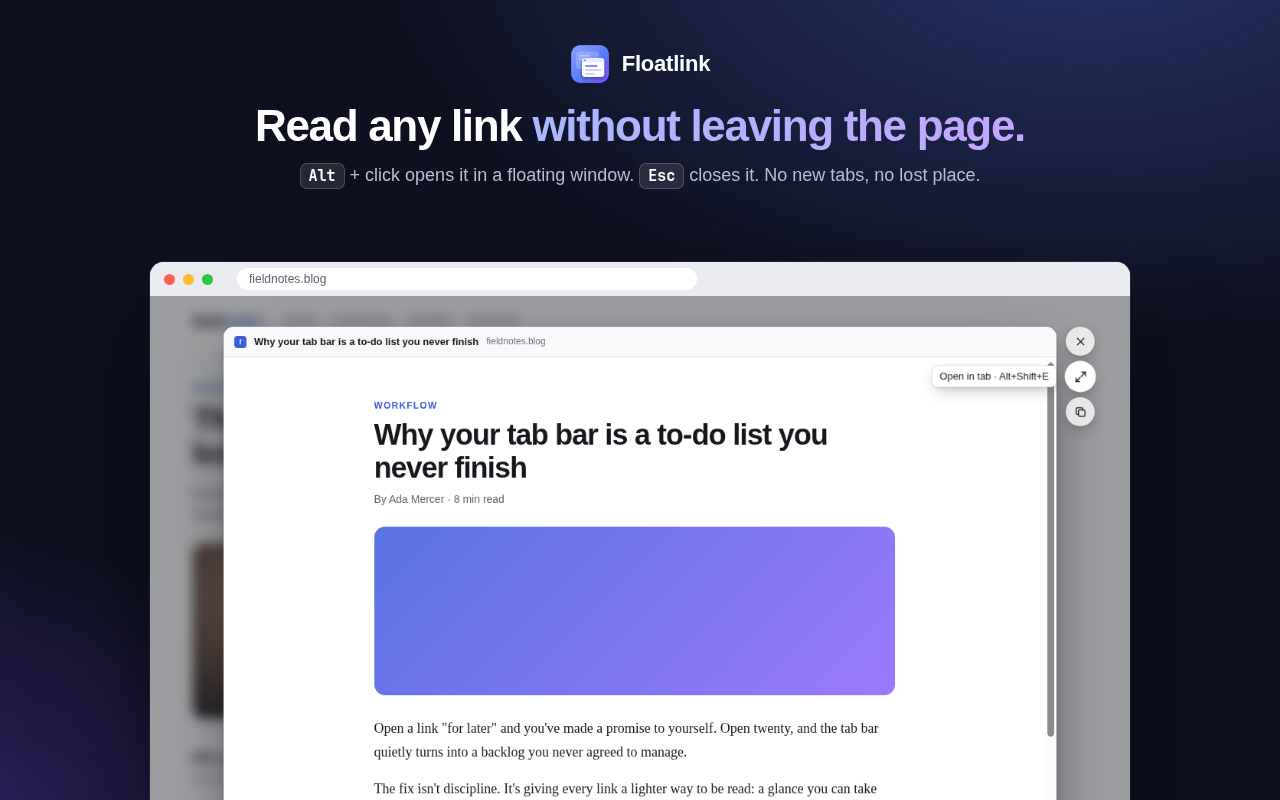
How to use it
- Open a linkHold Alt and click any link, or right-click it and choose Open in Floatlink.
- Read, scroll, clickThe page works normally inside the window, including sign-ins and web apps.
- Close or keep itPress Esc or click outside to close it. Press Alt+Shift+E to open it in a full tab.
- Make it yoursClick the Floatlink icon in the toolbar to change the key, the window size, and per-site on/off.
Help
Alt+click does nothing
Some Linux desktops use Alt+click to move windows, so the click never reaches the browser. Open the Floatlink popup and choose Ctrl, Shift or Super instead. Also check that Floatlink is switched on, and on for the site you're on.
It doesn't work on the Chrome Web Store or settings pages
Browsers don't allow any extension to run on their extension store or on their own pages (such as chrome:// and brave://). Floatlink works on every regular website.
A page says it can't be shown here
A few sites refuse to load inside another page in ways no extension can change. Use the Open in tab button to open it normally.
Does Floatlink collect my data?
No. There's no account, no tracking and no analytics, and nothing about your browsing leaves your browser. See the privacy policy.
Support
Questions, bug reports or ideas? Email: